Free to use. Fees apply only when a team pays online.

Demo

See The Roosterin action

Watch how a director can build an event, open team sign-up, create games, enter a score, and share the team view.

Video coming soon

The recorded walkthrough is in progress

Until it is posted, you can read the same walkthrough below or get a live version on a free 20-minute call.

Book a free setup call

Walkthrough

What the demo covers

  1. 01

    Build the event

    The director adds dates, location, and divisions with entry fees and team caps.

  2. 02

    Open team sign-up

    The event page goes live. Teams read the details and sign up for a division.

  3. 03

    Create the games

    The director sets fields and times, then builds pool games or a bracket.

  4. 04

    Enter a score

    A final score closes the game, updates standings, and moves the winner forward.

  5. 05

    Check the team view

    Teams open the event page to see their next game, field, time, and bracket path.

Screens

What you will see

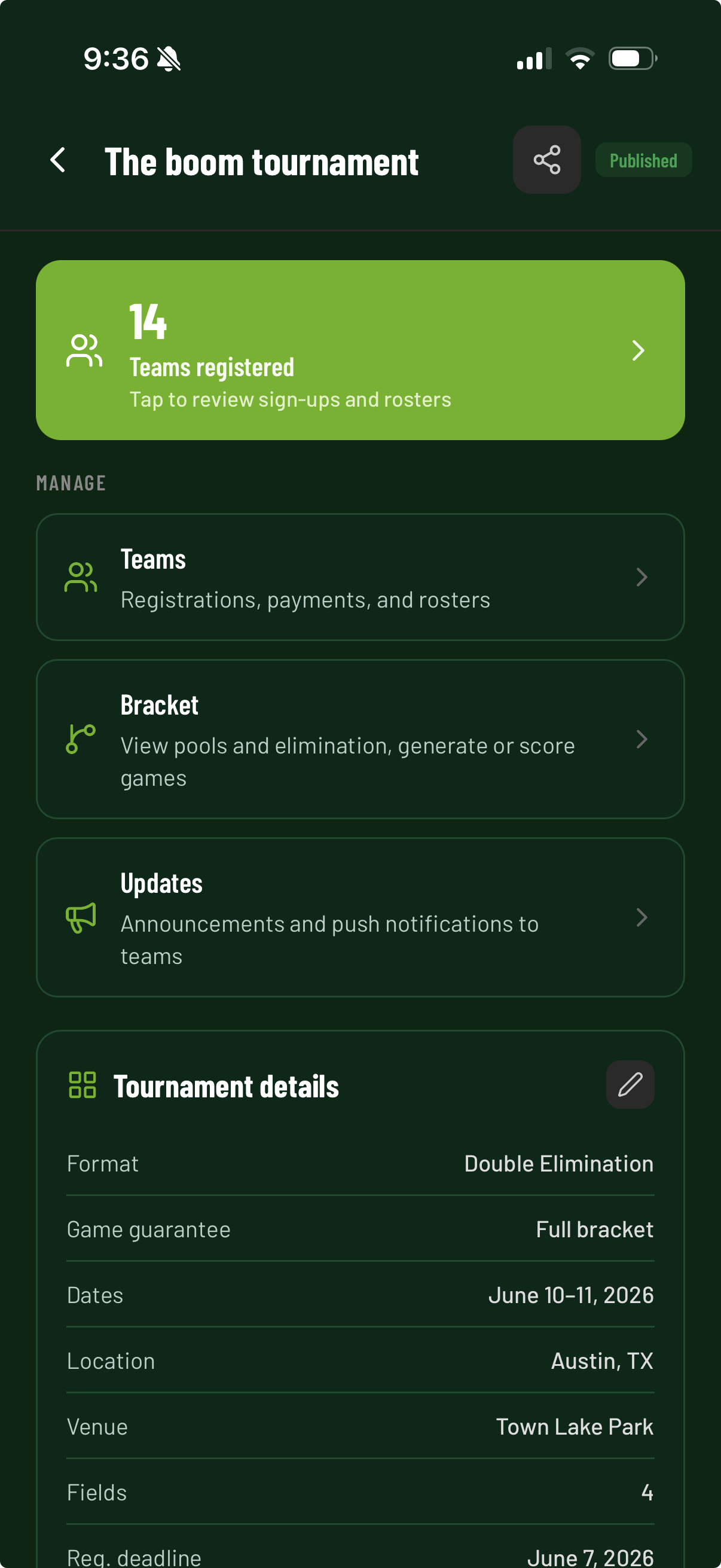
Director event dashboard in The Rooster
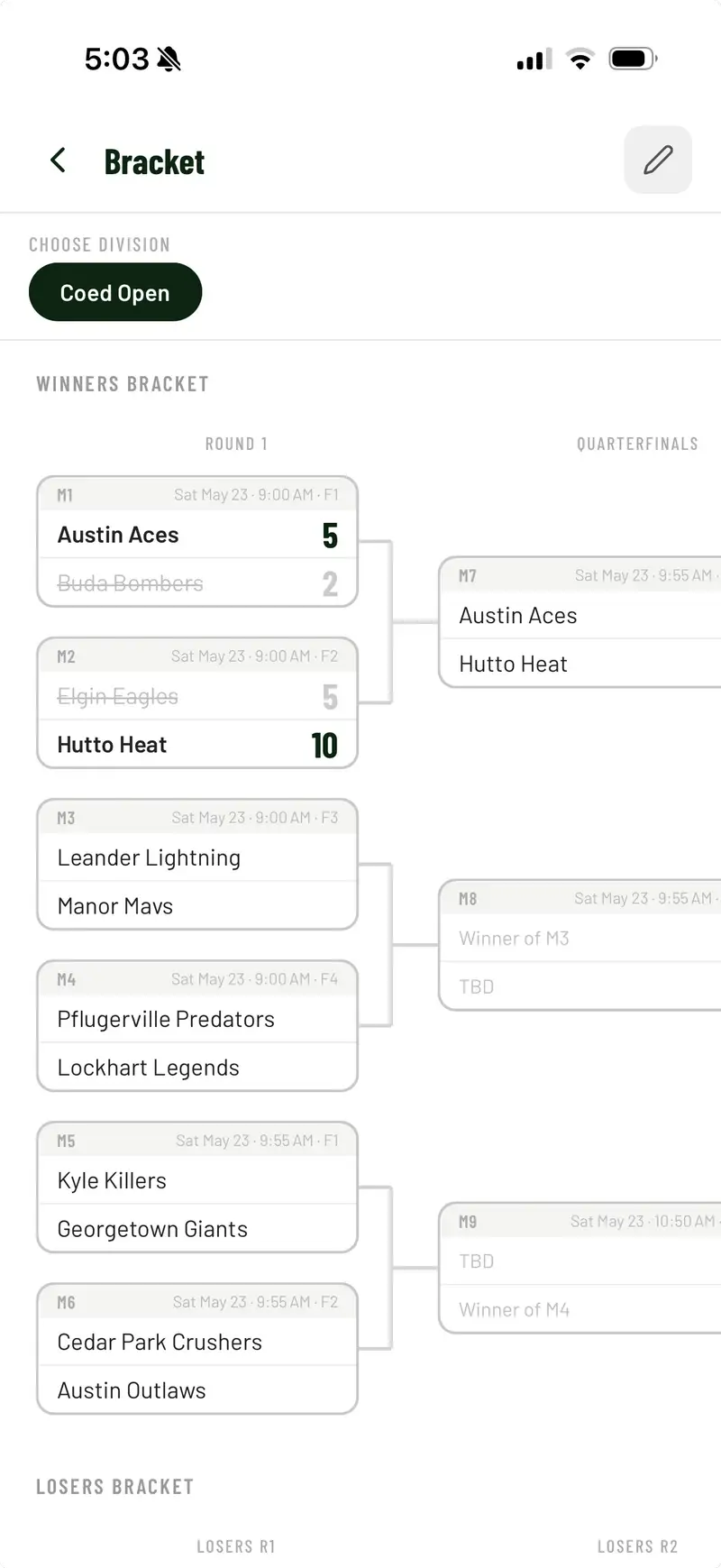
Bracket view in The Rooster
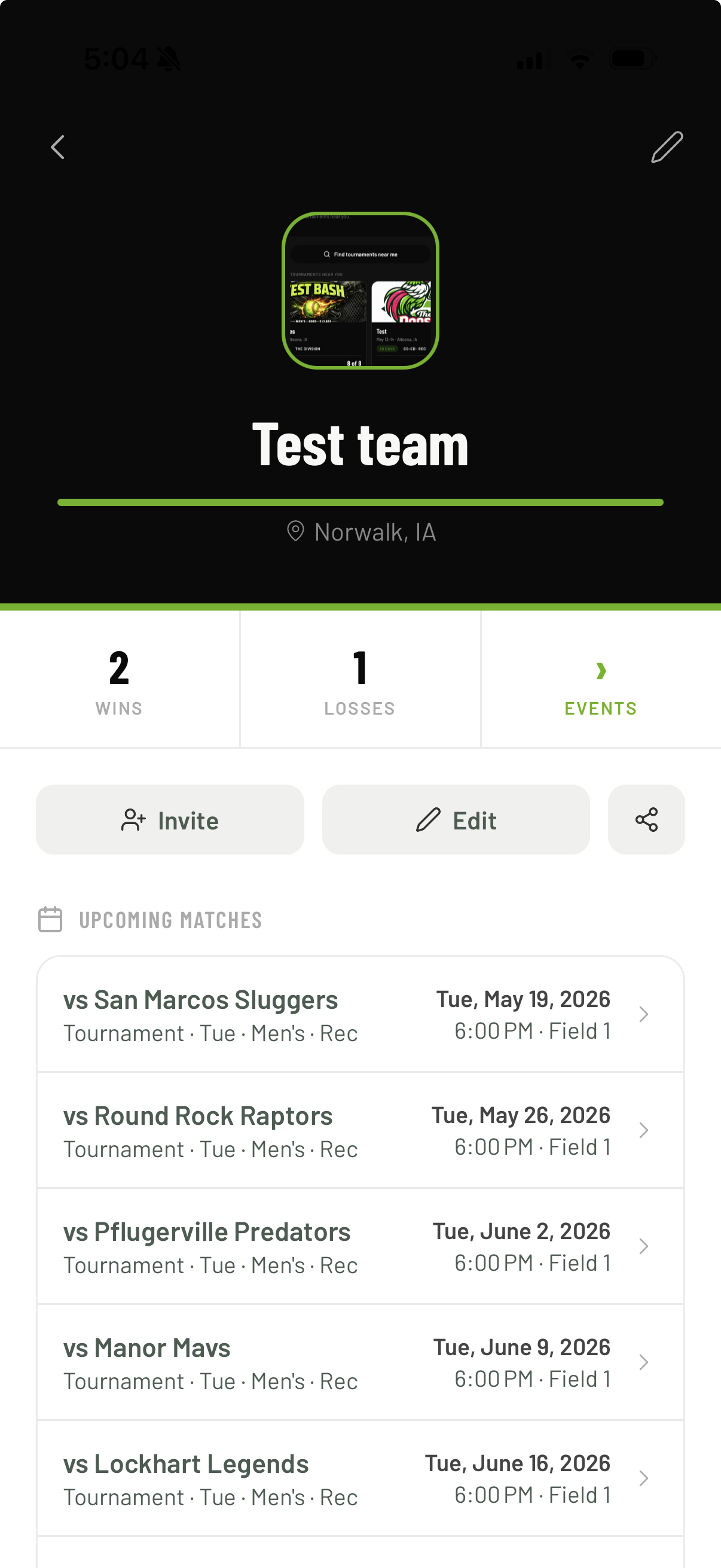
Team schedule view in The Rooster

Want the detail behind each screen? Read the feature list .

Free to use. Fees apply only when a team pays online.

Want a live walkthrough?

We will show the tools that fit your event.

Questions? Contact support